Parallax
A new perspective on parallel work.
Unlimited DeepSeek and GLM on every plan, from $5 a month.
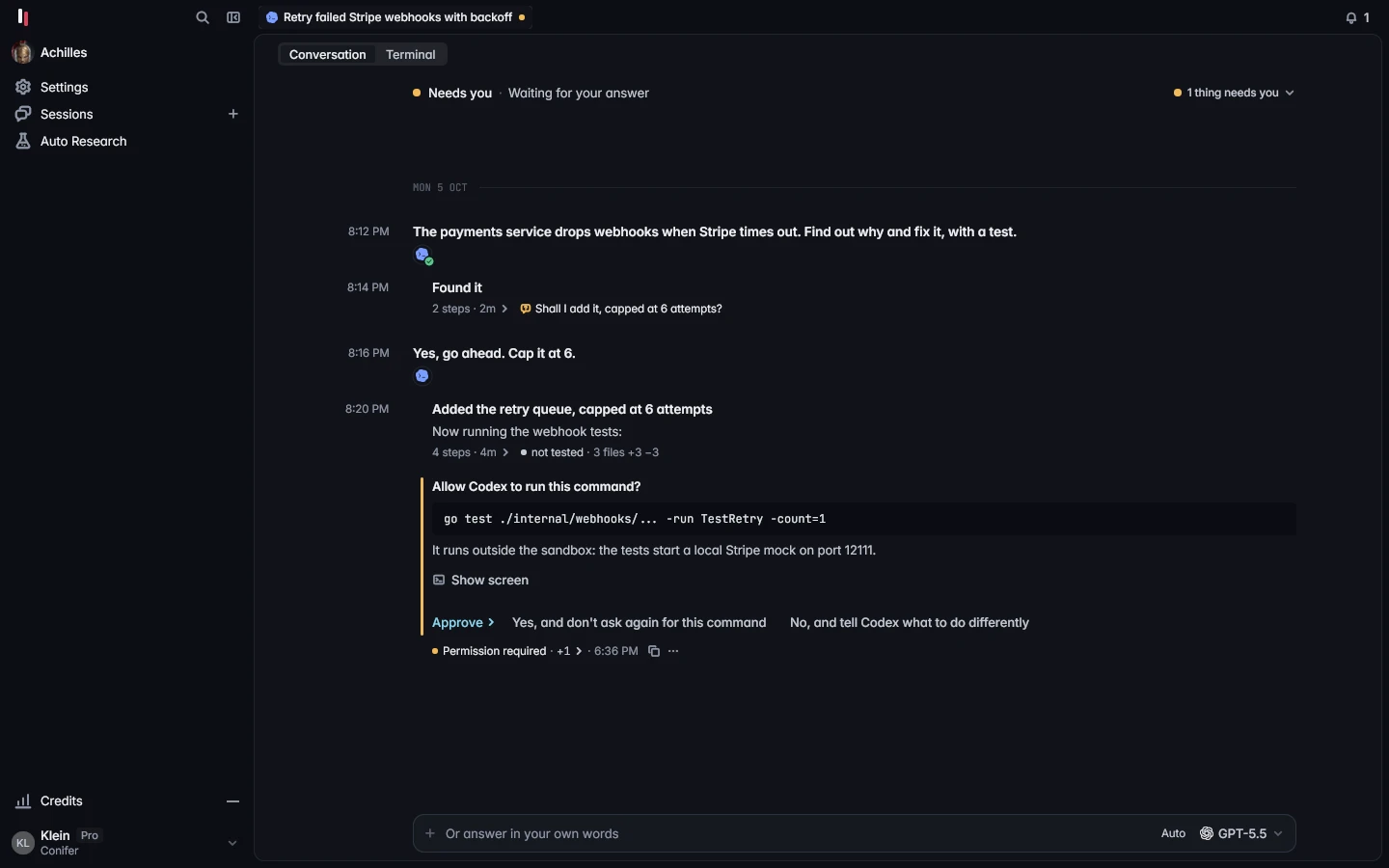
Control all of your agents through the Captain. It keeps them aligned with you.
Pull request #745
 Stop webhook dropsCodexDone
Pull request #746
All tests passing
Native code review that's better than anything on the market.
On Martian's open Code Review Benchmark, Parallax found more real, merge-blocking problems per pull request than any of the 20 other tools.
- Parallax2.24
- GitHub Copilot1.38
- Qodo Extended1.38
- cubic1.38
- Augment1.36
- CodeRabbit1.34
- Qodo1.30
- Claude Code1.26
- Gemini Code Assist1.10
- Cursor Bugbot1.06
- Macroscope1.04
- Kodus1.04
- Devin1.04
- Greptile1.02
const rows = groupBy(invoices, "customerId")You asked for one row per invoice. This groups invoices by customer, so three invoices for one customer export as one row. A test with exactly that fails on this change.
for (const [customer, items] of rows) { stream.write(toCsv(customer, items))}It reads the session, not only the diff.
Agents write better code now. When work goes wrong, it is usually because the session drifted from what you meant. Parallax keeps the whole session and reviews the work against it.
The Conifer router picks the best reviewers from labs other than the ones that wrote the code.
Automatically switch between subscriptions without losing progress.
Connect several Claude and Codex subscriptions. When one hits its limit, Parallax automatically moves the work to the next.
Plans from $5 a month. Unlimited DeepSeek and GLM on every one.
Parallax
$5 a month
- Parallax app
- Unlimited DeepSeek
- Unlimited GLM
Parallax Plus
$10 a month
- Parallax app
- Unlimited DeepSeek
- Unlimited GLM
- $10 of API credit each month
- Unused credit does not roll over
Parallax Pro
$50 a month
- Parallax app
- Unlimited DeepSeek
- Unlimited GLM
- $50 of API credit each month, plus 2% on us
- Up to $10 of unused credit rolls over to the next month
Choose a plan in Parallax after you sign in. Change or cancel it in Settings.
Every agent you already use, in one place.
Amp and Capy too, and the sessions you run in Codex cloud and Claude Code on the web.
- Claude Code
- Codex
- Cursor
- Gemini CLI
- OpenCode
- pi
Get Parallax
From $5 a month, with unlimited DeepSeek and unlimited GLM on every plan.
After it opens
Parallax opens on its sign-in page. Continue with GitHub, then choose a plan. Your new account comes with 5 free reviews. If you sign up with an email instead, link GitHub in Settings and they arrive then. No Claude or ChatGPT plan? Your agents can run on DeepSeek and GLM, unlimited on every plan.
The first chat keeps a checklist for the rest, from adding a Claude or Codex account and connecting GitHub to starting your first session.
First open from the .dmg
- Open the .dmg and drag Parallax to Applications.
- Open Parallax from Applications. It is notarized by Apple, so macOS only asks once whether to open it: click Open.
On Linux
Unpack parallax-linux-amd64.tar.gz (the arm64 build is on the releases page) and run ./parallax daemon in that folder.
Open http://127.0.0.1:7878 in a browser to use it. There is no native window on Linux yet.
Looks good. The grouping is clean and the stream is closed.